

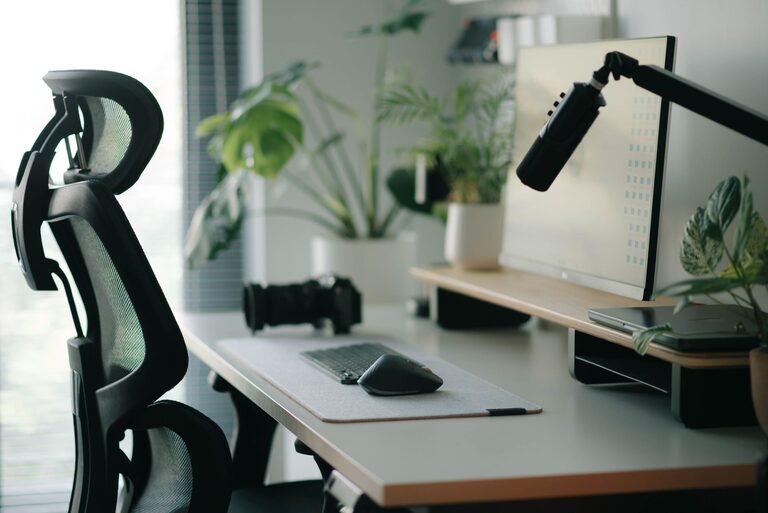
Creating a home office that is both comfortable and productive can have a significant impact on your work quality and well-being. Whether you work remotely full-time or occasionally need a quiet spot to focus, having a dedicated and well-thought-out workspace is essential. In this post, we’ll explore practical tips to help you design a home office that supports your needs and enhances your daily work experience.
Why a Good Home Office Matters
Working from home offers flexibility, but it can also bring distractions and discomfort if your workspace isn’t set up well. A good home office helps:
– Improve focus by minimizing distractions
– Promote better posture and reduce physical strain
– Boost creativity and motivation
– Maintain a healthy work-life balance by defining work boundaries
Choosing the Right Location
Find a Quiet Spot
Select a space in your home away from high-traffic areas. Ideally, choose a room or corner where noise is limited, helping you concentrate better.
Natural Light Matters
Try to position your desk near a window. Natural light improves mood and energy. Avoid harsh glare by using blinds or curtains to control brightness.
Space for Movement
If possible, allow enough room to move around or stretch. Being stuck in a cramped area can be uncomfortable over time.
Investing in Comfortable Furniture
Chair with Good Support
A quality office chair with adjustable height and lumbar support is crucial. It prevents back pain and encourages proper posture during long work hours.
Ergonomic Desk Setup
Your desk height should allow your arms to rest comfortably, and your screen to be at eye level to reduce neck strain. Adjustable desks that can switch between sitting and standing positions add flexibility.
Decluttered Surface
Keep your desk surface tidy with only essential items. A clutter-free area can reduce stress and improve focus.
Organizing Your Space for Efficiency
Use Storage Solutions
Shelves, filing cabinets, and desk organizers keep your materials in order. Label items clearly so you can quickly find what you need.
Cable Management
Tidy up cables with clips, ties, or under-desk trays to prevent tangling and a messy look.
Personalize Thoughtfully
Add a few personal touches like plants or artwork. They make the space inviting without overwhelming it.
Optimizing Technology and Tools
Reliable Internet and Equipment
Ensure your internet connection is strong. Invest in a good-quality headset, keyboard, and mouse to reduce frustration and physical strain.
Dual Monitors or Larger Screens
If your work involves multitasking or detailed tasks, dual monitors or a larger screen can improve productivity.
Good Lighting
Supplement natural light with a desk lamp. Adjustable warm or cool lighting helps reduce eye strain during early mornings or late evenings.
Creating Healthy Work Habits
Set Boundaries
Define your work hours to maintain balance. Let family members know your schedule to minimize interruptions.
Take Breaks and Move
Regular breaks improve productivity and reduce fatigue. Use a timer or app to remind yourself to stand, stretch, or walk.
Keep Hydrated and Snack Smart
Have water and healthy snacks nearby to stay energized without frequent kitchen trips.
Final Thoughts
Designing a comfortable and productive home office doesn’t have to be complicated or costly. By thoughtfully choosing your location, investing in ergonomic furniture, organizing your space, and optimizing your technology, you create a workspace that supports your success and well-being. Remember, small changes can make a big difference, so start with what’s achievable and adjust as needed to fit your unique needs. Happy working from home!