

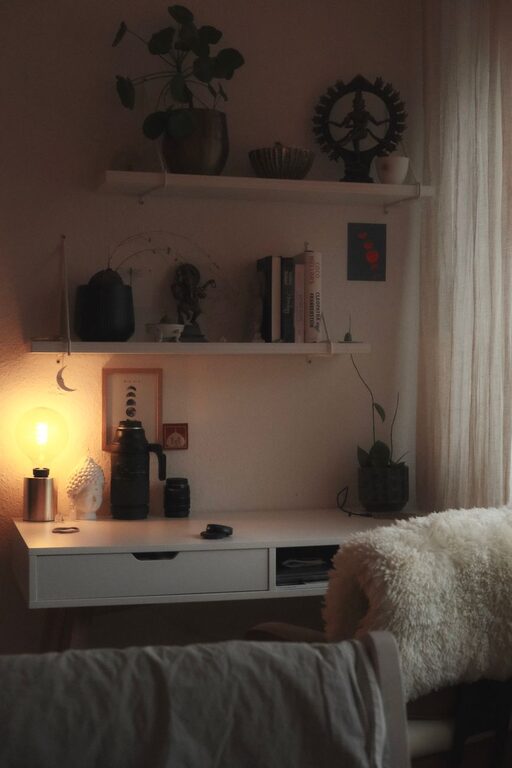
Creating a home office that feels cozy and inviting can significantly improve your productivity and overall enjoyment while working. Whether you have a dedicated room or just a small corner, a well-designed workspace can make a big difference. Here are some simple tips to help you transform your home office into a comfortable and inspiring environment.
1. Choose the Right Location
Selecting the ideal spot for your home office is the foundation of a cozy workspace. Ideally, pick a quiet area with plenty of natural light. Natural light helps reduce eye strain and boosts mood and focus. If a well-lit room isn’t an option, consider bright, warm artificial lighting instead.
Tips for choosing your workspace:
– Avoid high-traffic areas to minimize distractions.
– Use a corner or alcove if a separate room isn’t available.
– Ensure easy access to power outlets for your devices.
2. Invest in Comfortable Furniture
Comfort is key when spending long hours working. Invest in a supportive office chair with adjustable features. Your desk should be at a height that promotes good posture and allows ample space for your computer and notebooks.
Furniture considerations:
– Choose ergonomic chairs that support your back and encourage good posture.
– Consider a desk with storage options to keep essentials handy.
– A standing desk or adjustable desk can offer flexibility and reduce fatigue.
3. Personalize Your Space
Making your workspace personal can greatly increase comfort and motivation. Add decorative touches that make you feel happy and relaxed.
Ideas for personalization:
– Hang artwork or photos that inspire you.
– Use colorful cushions or throws for warmth.
– Add plants to bring life and improve air quality.
4. Organize Efficiently
A cluttered desk can lead to a cluttered mind. Keep your office tidy and well-organized to maintain focus and productivity.
Organization tips:
– Use storage boxes, drawer dividers, or shelves to keep items sorted.
– Keep frequently used items within arm’s reach.
– Set a daily or weekly routine to tidy up your workspace.
5. Enhance Lighting
Lighting plays a vital role in creating a cozy atmosphere and reducing eye strain.
Lighting tips:
– Position your desk near a window for natural lighting.
– Use a desk lamp with adjustable brightness to focus light where you need it.
– Consider soft, warm bulbs to create a calm ambiance in the evening.
6. Control Noise Levels
Noise can be distracting, so find ways to minimize it or create a pleasant sound environment.
Noise management ideas:
– Use noise-canceling headphones if needed.
– Add soft furnishings like rugs and curtains to absorb sound.
– Play background music or white noise to mask disruptive sounds.
7. Incorporate Colors Wisely
Colors impact your mood and concentration. Choose soothing tones that promote calm and focus.
Color advice:
– Soft blues, greens, or neutral tones work well for calming spaces.
– Add pops of brighter colors through accessories to energize the room.
– Avoid overly bright or harsh colors that may cause discomfort.
8. Keep It Flexible
Your needs may change, so design your home office to be adaptable.
Flexibility tips:
– Use movable furniture like rolling chairs or modular shelves.
– Have a spot for both screen work and tasks that require writing or reading.
– Change layout occasionally to refresh the space.
—
Creating a cozy and inviting home office is all about balancing comfort, function, and personality. By choosing the right location, investing in good furniture, personalizing your space, and maintaining organization, you can build an environment where you enjoy spending your workday. Add in thoughtful lighting, careful noise control, balanced colors, and flexibility to keep your home office inspiring and productive for years to come. Happy decorating!