

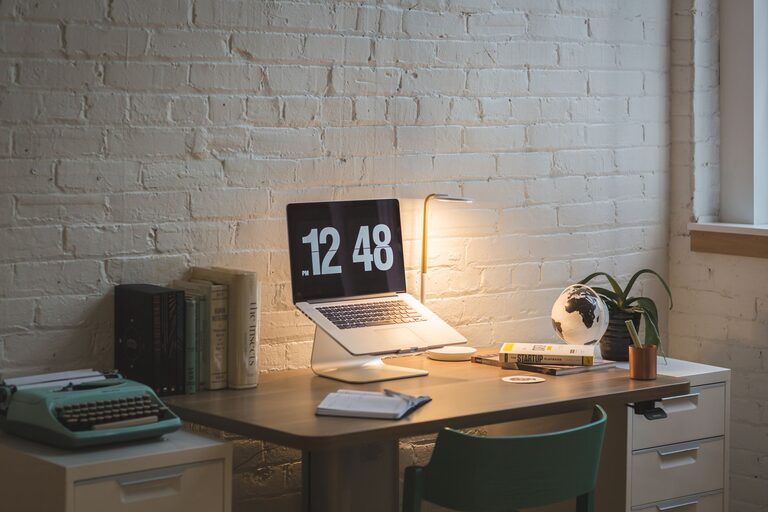
Creating a home office that is both comfortable and productive is essential for anyone working remotely or managing tasks from home. A well-designed workspace can improve focus, reduce stress, and enhance overall work performance. Whether you have a dedicated room or just a small corner, these tips will help you optimize your home office for daily success.
Choose the Right Location
Consider Natural Light
Natural light has a positive impact on mood and alertness. If possible, set up your workspace near a window to take advantage of daylight. Position your desk so that glare on your computer screen is minimized, and you can enjoy the view without distractions.
Minimize Noise and Interruptions
Find a quiet spot where household noise is minimal. If this is challenging, consider using noise-cancelling headphones or white noise machines to create a calm environment. Clear communication with family or housemates about your working hours can also help reduce interruptions.
Invest in Comfortable Furniture
Ergonomic Chair
A good chair supports your posture and reduces the risk of back pain. Look for chairs with adjustable height, lumbar support, and comfortable cushioning. Your feet should rest flat on the floor, and your knees should bend at a 90-degree angle.
Proper Desk Height
Your desk should allow your elbows to bend at about 90 degrees when typing. Adjustable desks are a great option, especially sit-stand models that let you change positions throughout the day.
Organize for Efficiency
Declutter Regularly
Keep only the essentials on your desk to maintain focus. Clutter can be distracting and make it harder to find what you need. Use drawers or boxes to store supplies and paperwork out of sight.
Use Organizational Tools
Incorporate shelves, filing cabinets, or wall organizers to keep your office materials accessible and tidy. Labeling storage spaces helps maintain order and saves time.
Optimize Your Technology Setup
Reliable Equipment
Ensure your computer, internet connection, and peripherals are reliable and up to date. A slow or faulty setup can disrupt your workflow and increase frustration.
Proper Screen Positioning
Place your monitor at eye level to avoid neck strain. The top of the screen should be at or just below eye height, and roughly an arm’s length away from you.
Manage Cables
Use cable organizers or clips to prevent tangled cords. This not only improves safety but also keeps your workspace neat.
Enhance Comfort and Ambiance
Control Lighting
In addition to natural light, use task lighting such as desk lamps to reduce eye strain. Adjustable lighting options let you customize your workspace for different times of day and tasks.
Add Personal Touches
Incorporate items that make you feel comfortable and motivated, like plants, artwork, or family photos. These elements can improve your mood without creating distractions.
Maintain a Comfortable Temperature
Ensure your home office is well-ventilated and at a comfortable temperature. If needed, use fans, heaters, or humidifiers to create a pleasant atmosphere for working.
Breaks and Movement
Schedule Regular Breaks
Taking short breaks helps prevent fatigue and keeps your mind fresh. Use techniques like the Pomodoro method (25 minutes work, 5 minutes break) to manage your time effectively.
Incorporate Movement
Stand up, stretch, or walk around during breaks. Using a sit-stand desk or doing simple office exercises can reduce stiffness and improve circulation.
Set Boundaries
Define Work Hours
Establish clear start and end times for your workday. This helps maintain work-life balance and signals to others when you are available.
Separate Work and Leisure
If space allows, keep your office area separate from your living spaces. At the end of the day, close the door or put away work materials to mentally disconnect.
Final Thoughts
Designing a home office that suits your needs can make a significant difference in your productivity and well-being. By combining thoughtful furniture choices, organized setups, and personal comfort touches, your workspace will become a place where you can focus and thrive. Start small, adjust as you go, and enjoy the benefits of a well-planned home office.